
▶️ Watch video

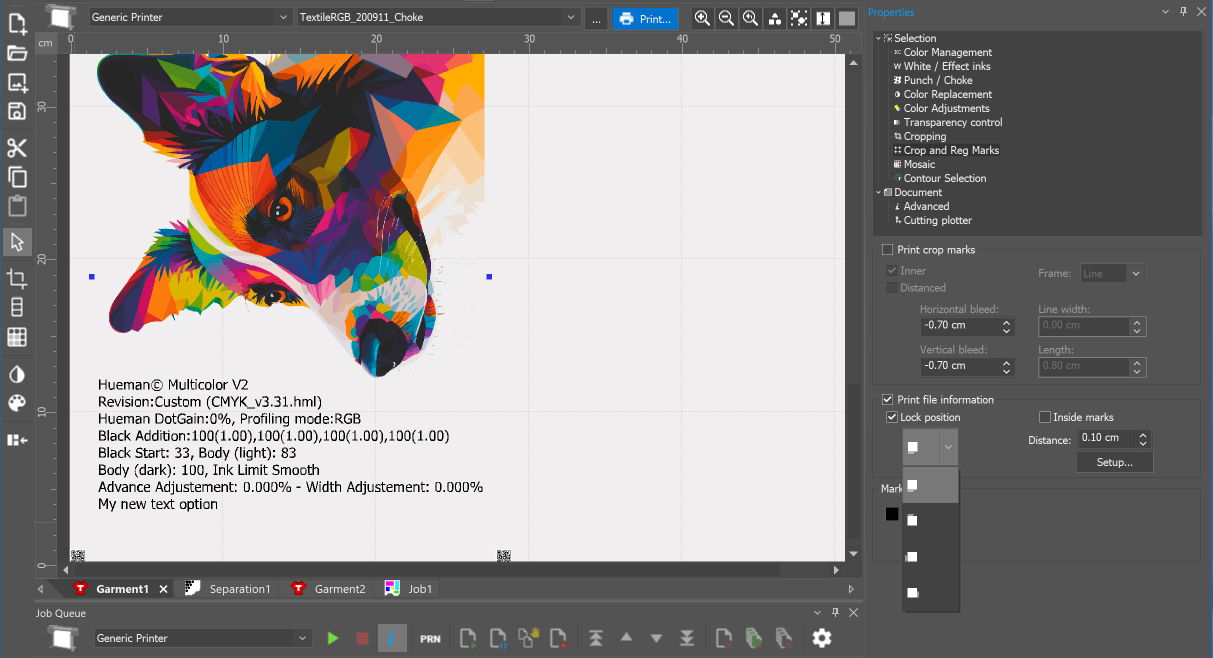
The Print file information option will add file information to the print document. It is in the Properties branch.
Step-by-Step
- Select the Crop and registration marks option from Properties.
- Enable the Print file information checkbox.
- To print the file name and print information in different positions, you have four positions to do so, and you can decide their distance with respect to the design. The 'Lock position' allows the text information to be aligned to the image files according to the rotation.
- The 'Distance' defines the space between the document and the print information. By default, it is 0.20 cm.
- The 'Setup…' button opens the print information window to select data and position:
- Select fonts that are installed in your system. The text is mirrored with the document by default but can be disabled with the corresponding checkbox.
- You can enter user text that will be printed with every print job when the option is enabled.
- The information can be aligned left, center, or right.
- When working with spot color replacement, you will have color patches for the spot colors detected in the document. When selecting the data 'Color replacement palette' in the print information setup, the section for patch layout becomes available. Here you can define the size and the distance between the patches, both horizontally and vertically. The lowest option allows showing the color space information (ICC name).
INFO: The number of color replacement patches is limited to 64.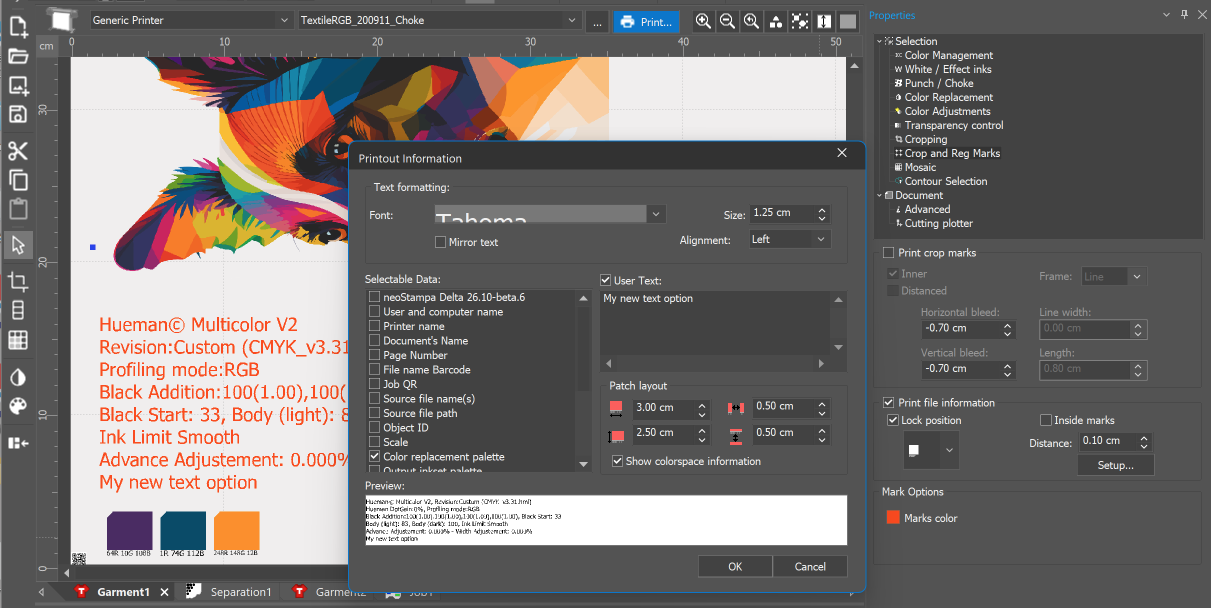
Once the data is selected, continue with OK. The print information will be previewed in the view automatically.
