
neoStampa v26.9
September 2026
What’s New
not included.
Enhancements
Added support for CMYKRGBHF inkset.
Bug Fixes
Addressed an issue with DTF drivers where white ink was printed even when the white channel was disabled in Properties.
Fixed an issue in Hot Folders where folders were not deleted after ripping when Treat subfolder as a single job was enabled.
Fixed an issue in the Activation window that prevented XDat files from being added manually.
Fixed an issue where the Print Server port number increased each time Print Server was opened, eventually resulting in an invalid port
Fixed an issue in DRD where the inkset order displayed in the measuring window did not match the order of the printed chart.
Control Center
not included.
neoStampa v26.8.2
September 2026
What’s New
not included.
Enhancements
not included.
Bug Fixes
Fixed one compatibility issue with Hosonsoft drivers.
Control Center
not included.
neoStampa v26.8.1
August 2026
What’s New
not included.
Enhancements
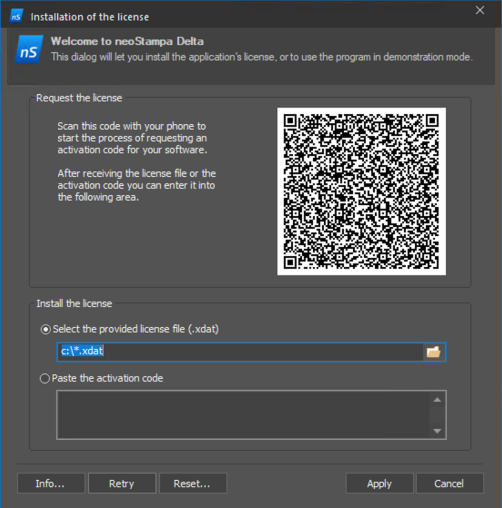
- Improved the neoStampa Activation Manager dialog for QR code generation during dongle registration.
- Improved RIP performance under certain processing conditions.
- Improved Print Server RIP performance under certain processing conditions when using 8-bit contone output.
- Updated the mDNS, DNS-SD, and Bonjour implementation to improve compatibility and allow the same implementation to be shared across neoStampa and neoTextil.
Bug Fixes
Fixed differences between the Color Replacement preview and the final ripped output.
Fixed an issue where QWizard settings were not synchronized between neoStampa and Print Server.
Fixed incorrect display of some reference Pantone colors.
Fixed software activation issues when no internet connection was available.
Fixed gaps created by Choke at Mosaic repeat boundaries on channels such as White, Varnish, and Fixation.
Fixed an issue where the number of objects shown in the Hot Folder selector increased each time the selector was opened.
Fixed an issue where Printing History did not display the complete printed length.
Control Center
not included.
neoStampa v26.7
Juli 2026
What’s New
not included.
Enhancements
Added support for Mosaic rapport mode in Hot Folder Smart Naming workflows, allowing the rapport dimensions to be defined using the
_sXxYsyntax, whereXandYare specified in points (for example,TesterRGB_s2830x5660.tif).Added support for CMM selection for the simulator scheme.
Added printer inkset info into the print job log (ink names and RGB colors).
Bug Fixes
Fixed an issue where fixation channels did not correctly apply positive Choke values.
Corrected fluor ink output that produced incorrect printed results.
Fixed an issue where previous channel assignments could generate no output data.
Fixed a crash that occurred when opening PDF files containing Color Replacement definitions.
Corrected an issue where Mosaic numbering using negative coordinates appeared correctly in preview but was missing from printed output.
Fixed incorrect previews in Print Server when Hot Folder jobs used layouts with Lab output color spaces.
Resolved incorrect print previews generated by certain Device Colors XJB files from Colorations.
Fixed a crash that could occur when loading Device Colors XJB files generated from Colorations.
Fixed NeoRipEngine processing errors that could unexpectedly cancel print jobs.
Control Center
- Enhanced ink consumption in Printing History and PDF report for custom ink channels for more accurate reports.
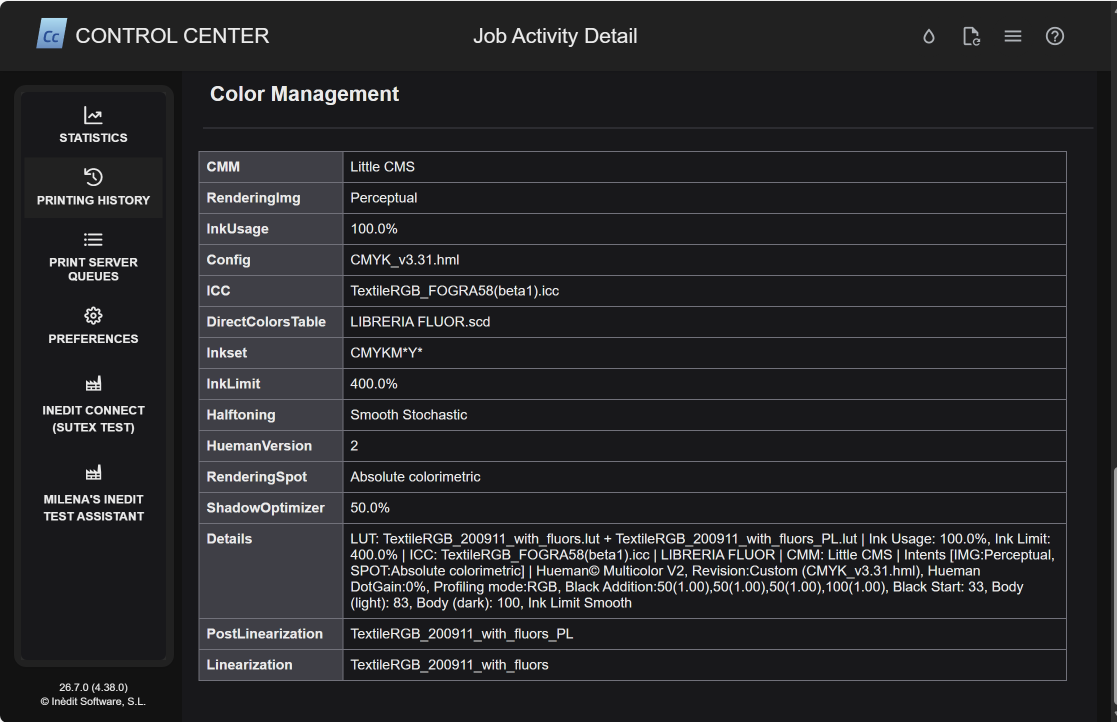
- Added Color management log information in the Job report details.
neoStampa v26.6
Juli 2026
What’s New
not included.
Enhancements
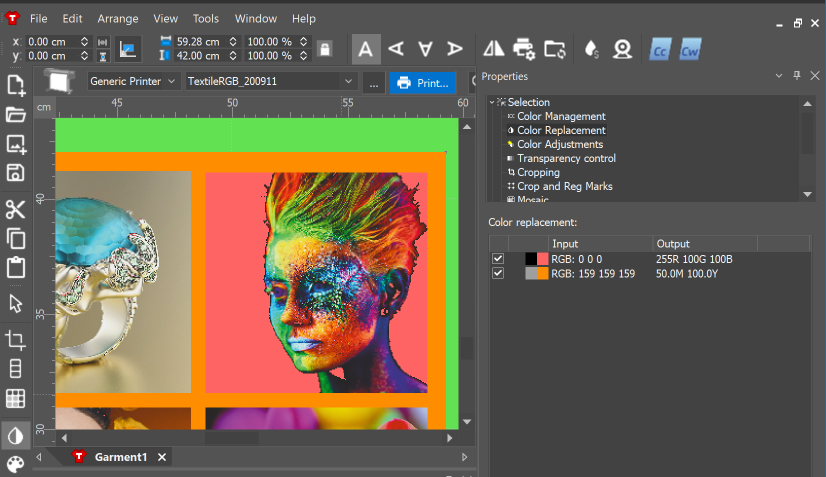
- Added live preview for Color Replacement for pixel-based files when simulating printing colors.
- Added the ability to reset cutting plotter advanced settings back to their default values.
- Prevent invalid negative values from being entered in Cutting Plotter Offset fields, reducing configuration errors.
- Improved choke unit conversion for more consistent behavior when switching between measurement units.
- Added missing translations and corrected localization in multiple languages, including Chinese and Italian, improving the overall user experience.
Bug Fixes
- Fixed an issue where Hot Folder nesting did not correctly process images that exceeded the page size.
- Resolved a problem where the Raster Preview displayed incorrect layouts when using Full Page Mirroring.
- Fixed an error that prevented printing when Choke was enabled for fixation inks.
- Corrected an issue where setting the size of multiple selected objects to 0 caused their previews to disappear.
- Fixed incorrect cutting paths generated when negative values were used for Cut Shape Outline.
- Restored compatibility for legacy print schemes, preserving existing white ink settings.
- Corrected color replacement behavior for inksets using fluorescent and white inks.
- Fixed QR code positioning so it updates correctly when the OPOS offset is modified.
Control Center
Improved the print workflow with better automation integration, while fixing several issues related to printer communication and job processing.
neoStampa v26.5.2
June 2026
What’s New
not included.
Enhancements
not included.
Bug Fixes
Fixed errors that prevented the printing history from being recorded.
Control Center
not included.
neoStampa v26.5.1
May 2026
What’s New
not included.
Enhancements
not included.
Bug Fixes
- Resolved issue on white base printing in Calibration Wizard.
- Addresses the issue where the previews were not generated for Cost Control.
Control Center
not included.
neoStampa v26.5
May 2026
What’s New
Enhanced the choke algorithm to preserve small design details, resulting in cleaner and more precise DTF prints.
BEFORE: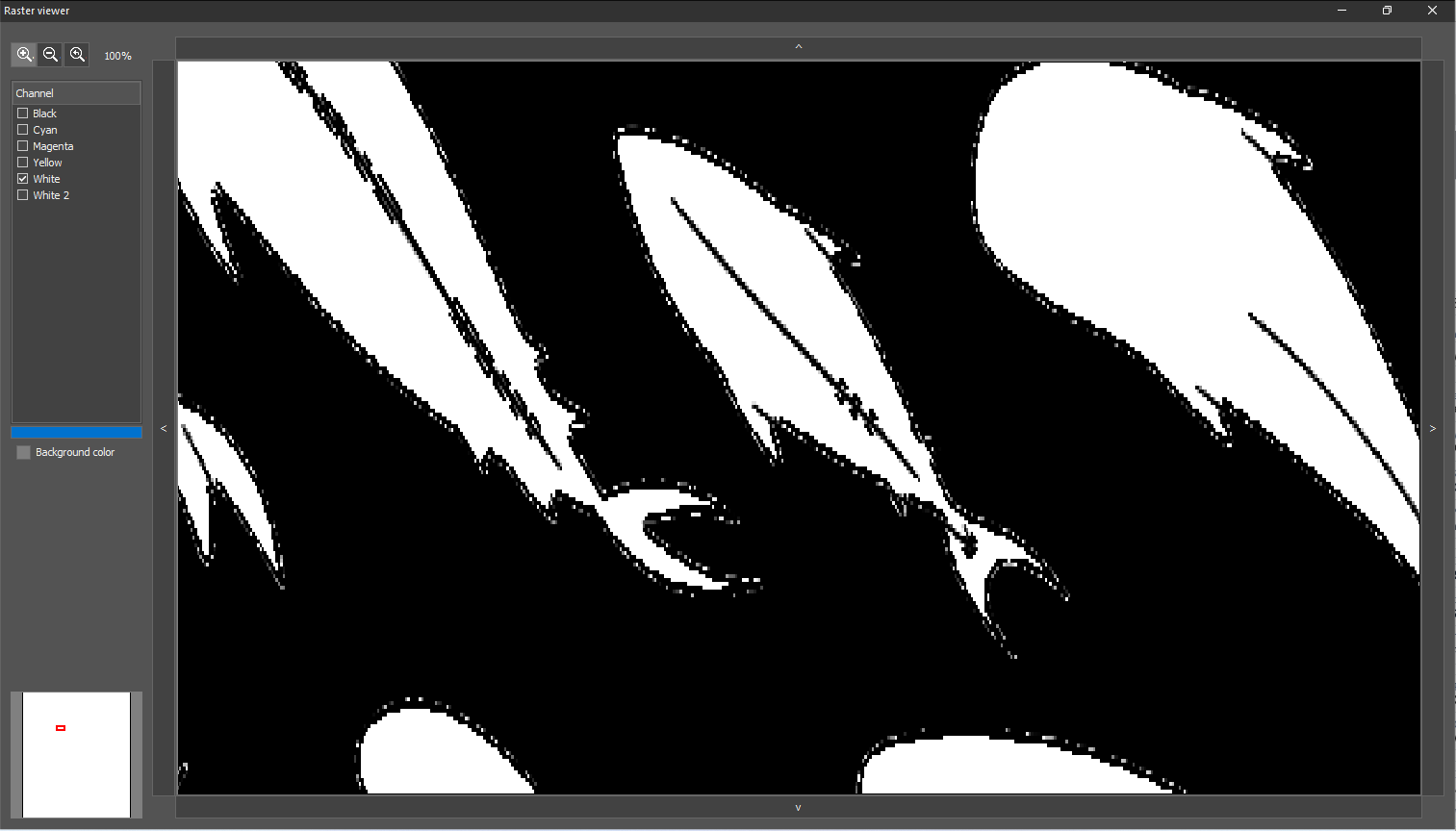
AFTER: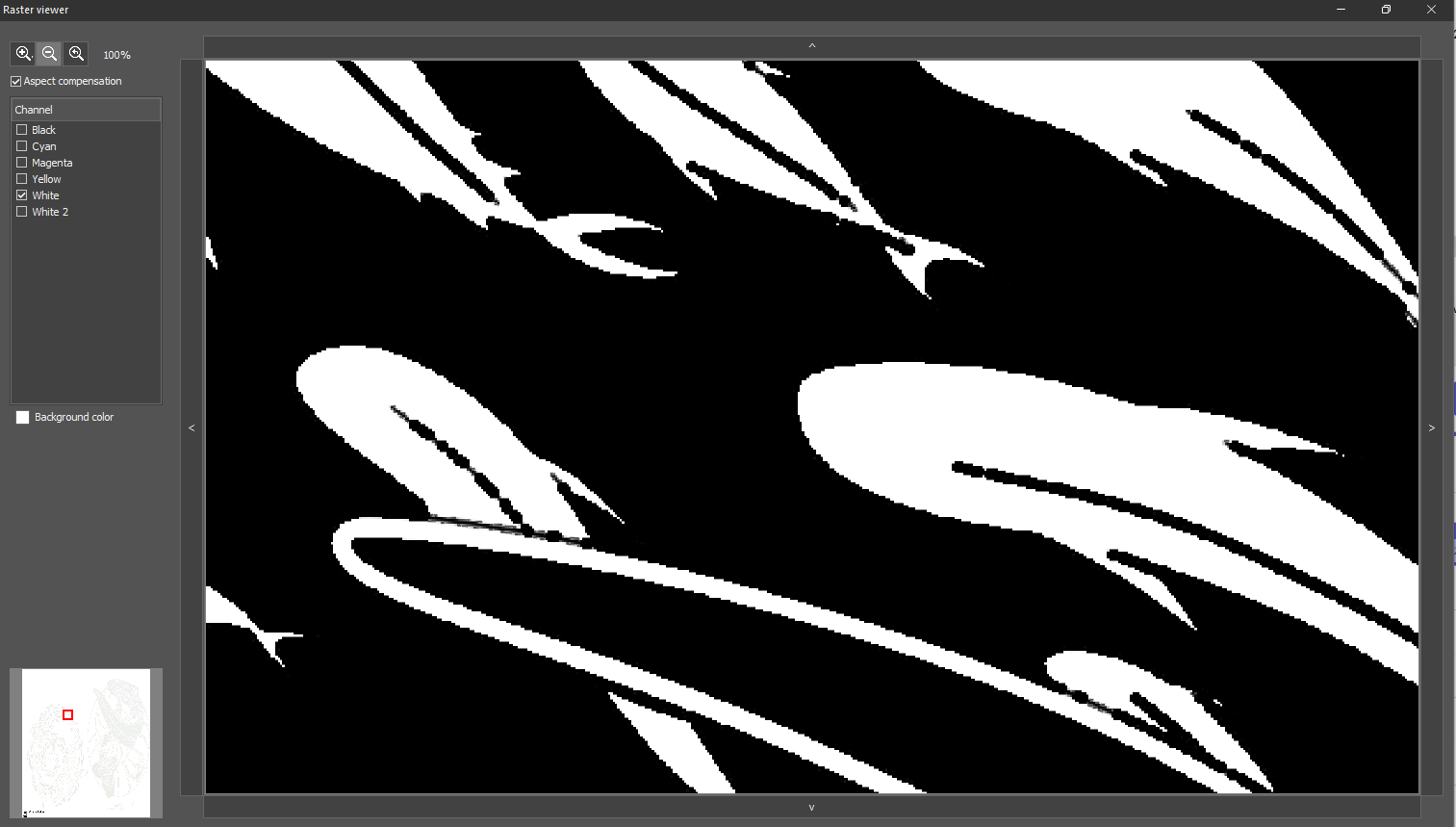
Enhancements
Improved Print Server processing speed for jobs using the white choke application.
Bug Fixes
- Resolved an issue where the Simulator workflow did not work correctly for XJB jobs.
- Fixed incorrect choke size calculation when objects were scaled.
- Addressed printing issues affecting 1-bit TIFF files.
- Fixed issues related to SpotColor replacement processing.
- Resolved a Calibration Wizard issue when printing Ink Limit test charts with white ink set to Black/Dark media.
- Corrected statistics calculation and display issues in Print Server.
- Fixed an issue where legends were not printed correctly through Hotfolder workflows.
- Resolved a performance issue affecting Raster Preview generation and loading.
Control Center
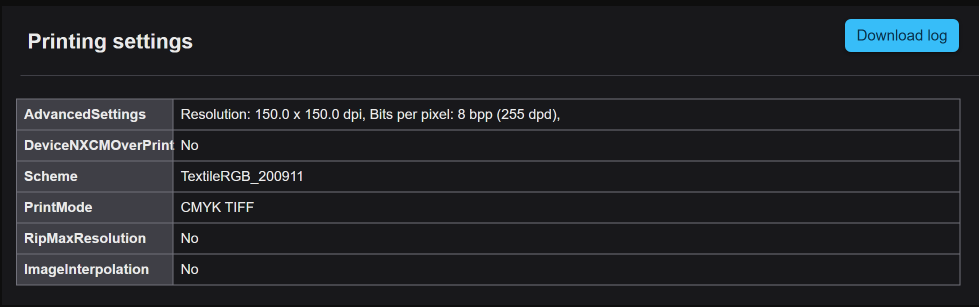
Added log information "Image interpolation" & "Rip at max resolution to the Job Reports.
neoStampa v26.4.2
April 2026
What’s New
not included.
Enhancements
Improved the limit of the text edit virtual page size to the max size of the plotter.
Bug Fixes
- Addressed SpotColor replacement issues.
- Fixed issue where the documents were overlapped in Mosaic mode.
- Solved the issue where the document nesting was not applied accurately
- Resolved a problem where the document crop marks cannot be disabled.
- Addressed the issue to avoid wrong printouts with Spot inks in Calibration Wizard.
- Solved an issue with PDF rotations in Mosaic mode.
Control Center
not included.
neoStampa v26.3.1
March 2026
What’s New
not included.
Enhancements
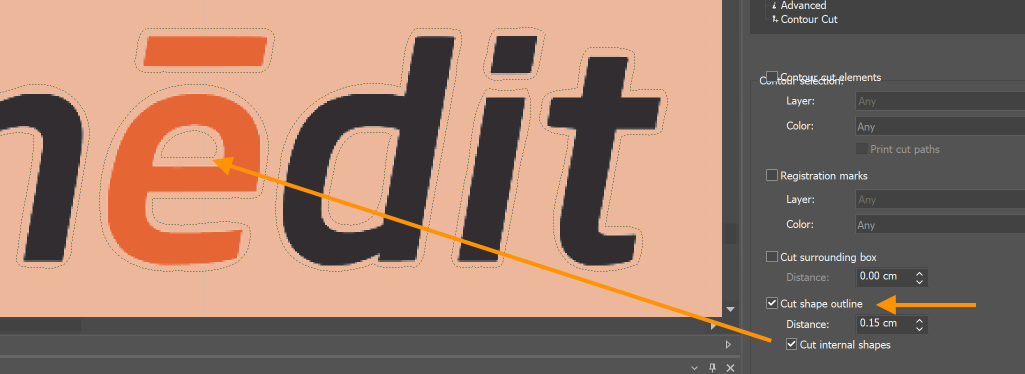
- Enable cutting interior paths when using the cutting shape outline for internal shapes.
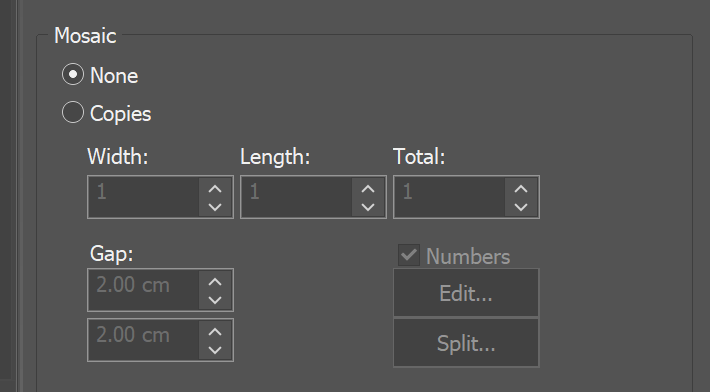
- Save Gap distance as the default in the Mosaic option to apply for newly opened prints.
Bug Fixes
- Solved the issue where jobs returned logs with no ink consumption information.
- Addressed the issue where the ICC selection was permitted.
Control Center
not included.
neoStampa v26.3
March 2026
What’s New
not included.
Enhancements
- Added support for i1Pro 3 iO CMYK re-profiling target.
- Improved and refined translations across the application.
Bug Fixes
- Addressed an issue that prevented encrypted jobs from printing correctly in the Print Server.
- Resolved a problem where previews could not be generated from encrypted jobs.
- Fixed several bugs affecting encrypted TIFF files.
- Solved gradients printing incorrectly in Print Server when the “Convert to printer” option was enabled.
- Addressed a crash occurring when opening an empty document while ColorLogic CMM was selected.
- Solved an issue where spot colors were printed incorrectly.
- Fixed a problem where Spot Color Replacement with split double fluor inks and Choke produced empty color bands on the double yellow channel.
- Resolved a behavior where horizontal scrolling in Rapport mode did not work when the zoom level was increased.
- Fixed a problem where Calibration Wizard could not load Barbieri SpectroSwing targets.
Control Center
not included.
neoStampa v26.1
January 2026
What’s New
Contour Cutting and Plotters
Contour Cutting configuration has been improved to provide greater flexibility when working with cutting plotters. Users can now easily add and manage cutting drivers, configure connection types (FILE or USB), and access advanced plotter options such as offset, resolution, and enhancement settings.
Additional improvements include enhanced registration mark options, QR code support for automatic cutting file loading, configurable white ink behavior (including garment workflows), and improved control over multi-page cutting and mosaic generation.

Cut Features
New features that support creating and exporting cut outlines for shapes and boxes.

Supported Plotters
New supported cutting plotter models:
- Arc 127 Cutter
- Homer DTF Cutter
- GUNNER CNC Flatbed Cutter
- Vicut DTF VFC-90
- Vicut Cutter VFC90
- INNURO GR7090F
- Cobra Cutter 63
- Saga cutter
- STS Cutter 2432
- AGP|Textek 7090
- Bascocut FC1613U & FC7090U
With the supports several cutting plotter-specific advanced options:

Registration Marks
Several plotter-specific options are available. These are predefined according to manufacturer specifications.
- Registration Marks: Adds circles or squares used by the plotter to align the cut with the printed image.
- Page Length: Automatically splits long prints into multiple pages when exceeding plotter limits.
- Marks Color: Defines the color used for:
- Registration marks
- QR codes
- Useful to adapt to ink limitations or plotter reading requirements.
- Draw QR Code
- Adds a QR code near the four corner position marks.
- The QR content is taken from the job name, which is also used as the exported cutting file name.
- This allows the plotter to automatically load the correct cutting file.

Smart Hotfolder
Implemented tagging parameters for file names for hot folders:
- _c[n]: number of copies (example Design_c5.psd)
- _z[n]: zoom level in % (example Design_z50.psd)
- _r[n]: rotation 90,270,180 (example Design_r90.psd)
- _m[nxm]: mosaic layout (example Design_m3x4.psd)
- Combinations: Design_m23x12_z50_r90.psd
The option to enable is located in the Hotfolder configuration window:

Enhancements
- Added an option in the neoStampa queue to process and print more than 1 single job at the same time.

- Added option to export printer scheme from neoStampa Scheme Manager.

- Added automatic cleanup of temporary folders when the application closes.
- Enabled trimmer register mark for cutting plotters in the Properties section.
- The “C” shortcut now centers selected objects.
- Cut sheet: centers both horizontally and vertically
- Roll: centers vertically
- Enhanced translation and monitor resolution adaptation.
Bug Fixes
- Solved the issue where the PDF multiple pages did not keep their size.
- Fixed SpotColor replacement palette print issue.
- Resolved issue where the ruler was incorrectly divided in inches unit.
Control Center
Resolved issue where the printing history was not listed when selecting a printer.