
In neoStampa, managing white ink effectively is essential for workflows involving transparent or colored substrates. One efficient approach is to disable automatic white generation and instead control white ink explicitly through spot colors defined in both the print scheme and XML layouts.
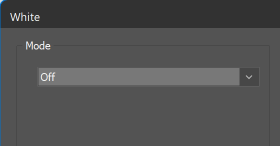
When White mode is set to Off, NeoStampa will only apply white ink if a spot color is present in the image. This gives you precise control over where white ink is printed, avoiding unnecessary ink usage and improving output predictability.
Spot White Requirements
The spot color must:
- Be defined in the image (design file), and
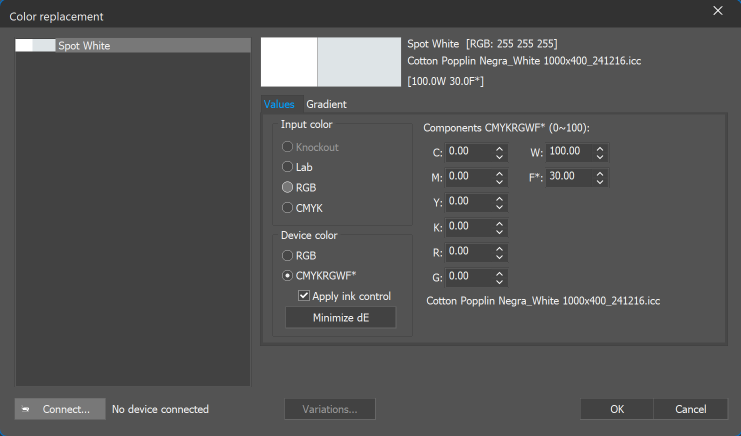
- Match a color replacement configured in the print scheme
- The spot color name must exactly match the name used in the color replacement for White.
Adding White via XML Layouts
XML layouts allow you to inject additional channels dynamically using the BandAddition transformation.
Example
<Object Id="2" SourceID="2" left="10 cm" top="40 cm">
    <Transformations>
        <BandAddition value="0" name="Spot White">1</BandAddition>
    </Transformations>
</Object>
Explanation
- name="Spot White" → Defines the spot color name
- value="0" → Controls transparency
- 1 (inner value) → Enables the band addition
Transparency Values
Value | Meaning |
|---|---|
0 | Fully opaque |
255 | Fully transparent |
This mechanism effectively adds a white ink layer wherever the transformation is applied.
Configuring Output Channels
To accommodate the added spot color, the output configuration must include an additional channel.
Example
<Output>
    <InkSet NumChannels="4"/>
    <Space>RGB</Space>
</Output>
Important Notes
NumChannelsmust reflect the total number of inks, including the added spot color (e.g., White)- Ensure your printer and driver support the specified number of channels
Font Handling Limitation
When using this XML-based channel expansion, Fonts defined directly in the XML layout are not supported
- The neoRipEngine will return an error if fonts are embedded in the XML
- Fonts must instead be defined in a companion TJB file