
The XML page format allows you to include multiple rapport designs in a single print job. Each design can have its own image, header, rapport settings, and print dimensions.
Sample attached to this article
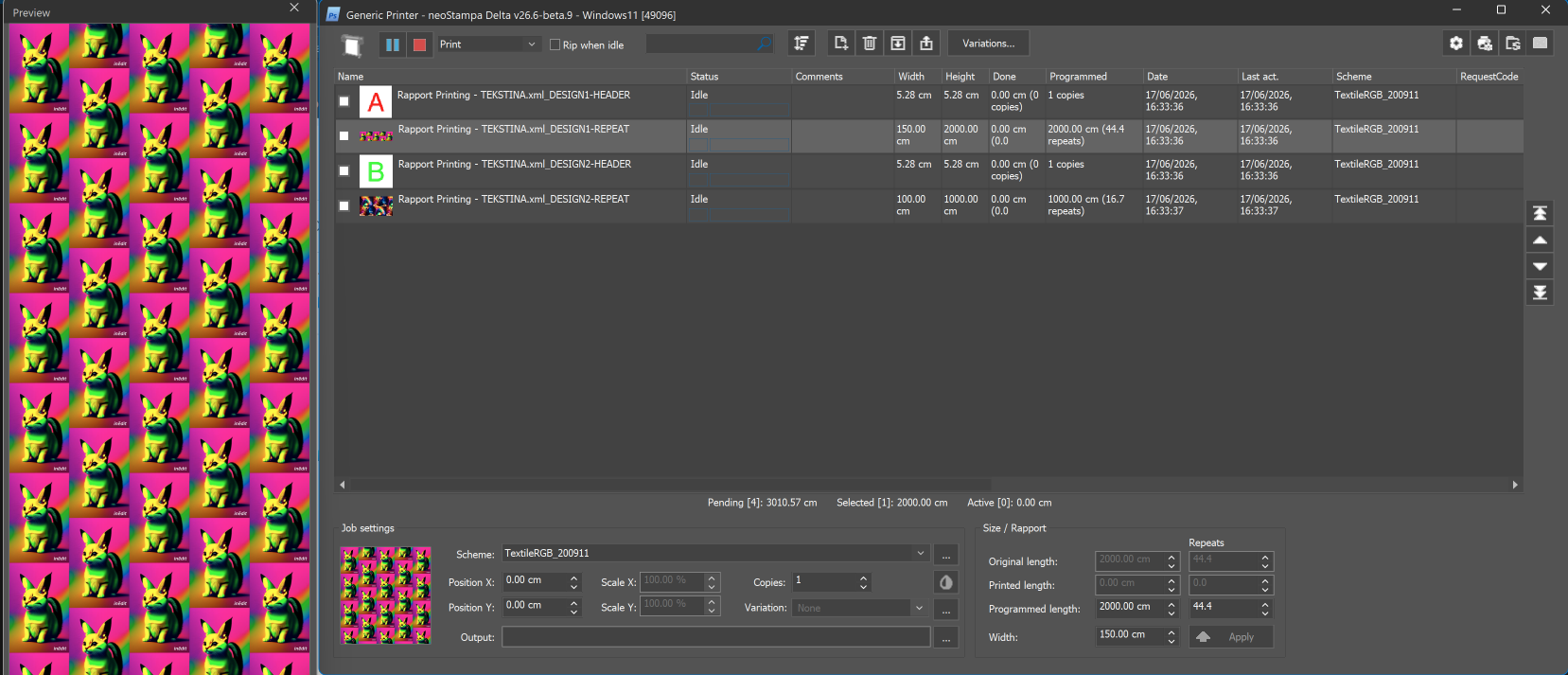
XML structure
The XML file contains four main sections:
| Section | Description |
|---|---|
<Sources> | Defines the image files used in the job. |
<Layout> | Defines the pages and their rapport settings. |
<Output> | Defines the color profiles and output color space. |
<PrintScheme> | Defines print scheme attributes. |
Source files
The <Sources> section lists the images used in the job.
<Sources>
  <Source Id="0" URL="HEADER1.tif"/>
  <Source Id="1" URL="DEMO1.psd"/>
  <Source Id="2" URL="HEADER2.tif"/>
  <Source Id="3" URL="DEMO2.psd"/>
</Sources>
Each image has a unique ID, which is used to reference it in the layout.
Pages and rapport settings
Each design in the example has two pages:
Header page: Contains the header image.
Repeat page: Contains the repeating design and its print dimensions.
Example of a repeat page:
<Page Id="1" Name="_DESIGN1-REPEAT">
  <Objects>
    <Object Id="1" SourceID="1"
      top="0 cm" left="0 cm"
      insideWidth="1 rep"
      insideHeight="1 rep"
      InterpolationMethod="nearest"
      MaintainAspectRatio="true"
      repeat="rapport"
      autoResizeMask="Width|Height"
      autoResizePropHeight="1/1">
      <Transformations/>
      <RapportInfo direction="0"
        fraction_high="1"
        fraction_low="2"/>
    </Object>
  </Objects>
  <RapportInfo width="150cm"
    height="2000cm"
    direction="0"
    fraction_high="1"
    fraction_low="2"/>
</Page>
The most relevant settings are:
| Attribute | Description |
|---|---|
SourceID | Image used on the page. |
repeat="rapport" | Enables rapport repetition. |
width/height | Final page dimensions. |
direction | Rapport direction value. |
fraction_high / fraction_low | Rapport fraction (1/2 in this example). |
Multiple rapport designs
The provided XML contains two designs:
| Page | Source file | Dimensions |
|---|---|---|
| Design 1 – Header | HEADER1.tif | 1 repeat |
| Design 1 – Repeat | DEMO1.psd | 150 × 2000 cm |
| Design 2 – Header | HEADER2.tif | 1 repeat |
| Design 2 – Repeat | DEMO2.psd | 100 × 1000 cm |
To add more designs, include their images in <Sources> and create additional pages in <Layout> with unique IDs.
Output settings
The <Output> section defines the color profiles and output color space. In this example, the output is RGB, using AdobeRGB 1998 and Euroscale Coated v2 as working profiles.
Important
Before using the XML file, check that:
All referenced image files are accessible.
Every page and source has a unique ID.
Each repeat page has the correct dimensions and rapport settings.