
Affects Version/s: neoStampa 8 and higher.
There are different formats we can use when saving documents from Illustrator:
- AI is Illustrator's proprietary format. Although it is technically PDF-compatible, in reality stores a lot of internal information and effects (shadows, overprints, transparencies, etc.) alongside the printing data. Since every successive version of Illustrator adds new effects and possibilities, neoStampa will load the file, but doesn't always fully support this format.
- PDF is a PostScript-based standard format for printing raster and vector data. Not all PDFs are the same, since this format can hold a wide range of information, from printing information to sound and video. We recommend exporting the files into PDF/X format (eXchange format for printing). The two formats we support and recommend are:
- PDF/X4 for documents mixing different color formats (CMYK, RGB, LAB, etc.) and/or images; and we want to keep the embedded profiles.
- PDF/X1 for documents with spot colours. Please be aware that all colors and images will be converted into the working profile.
Exporting a file into PDF/X format for CMYK files is quite easy and straightforward process.
- On Illustrator, if we haven't worked yet with ineditCMYK profile, we can assign it on Edit | Assign profile. This profile is designed to be very similar to other usual CMYK profiles, so we can assign it without many issues.
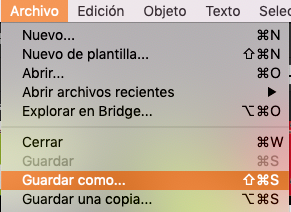
- On Illustrator, we go to File | Save as...
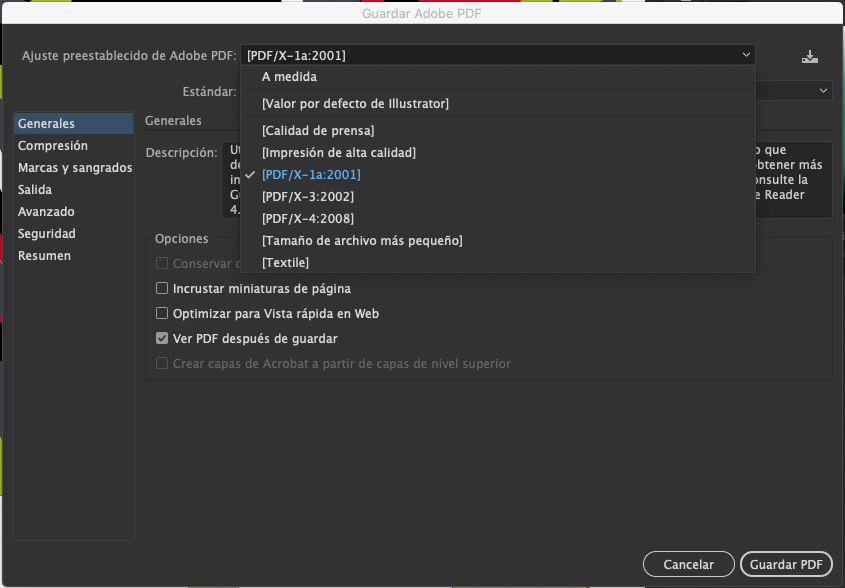
- We select PDF/X4 from the Adobe PDF preset list
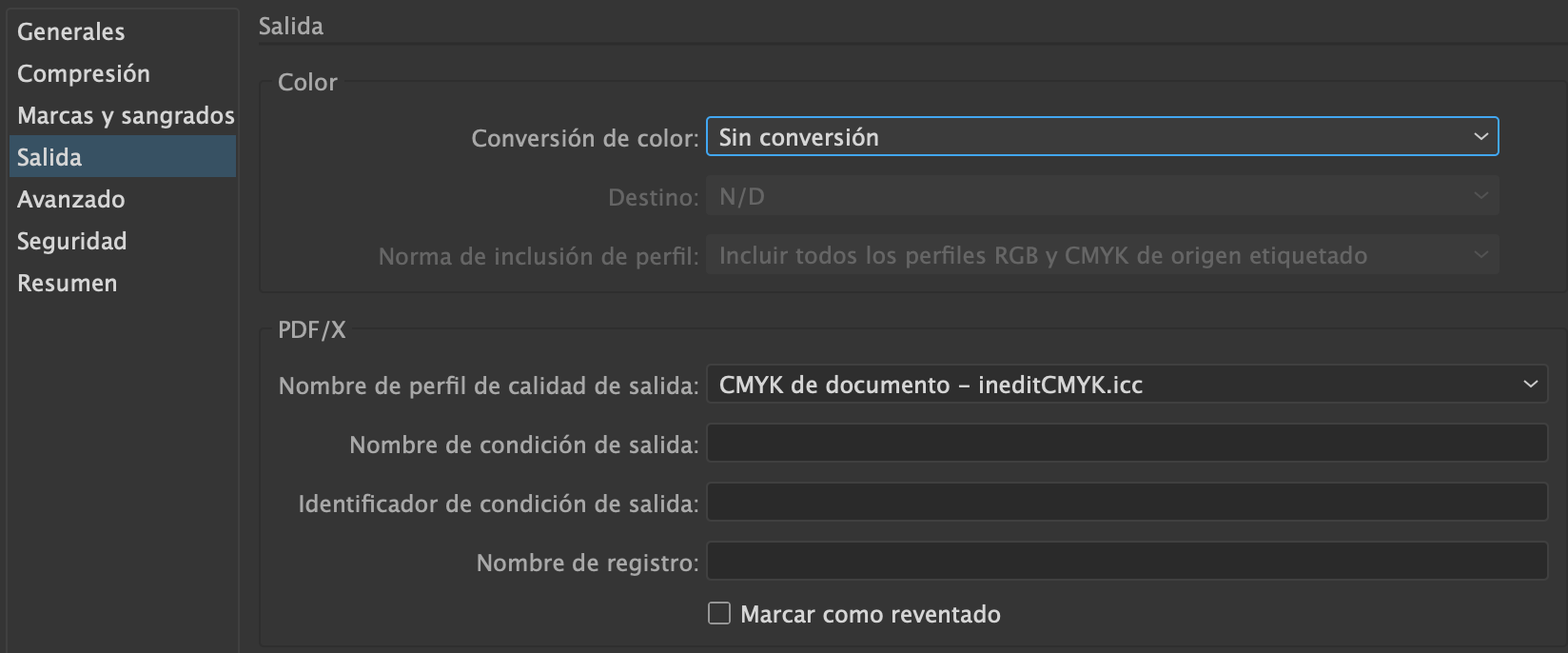
- We can check on Output that the output profile is indeed ineditCMYK.
- We click on Save PDF to finish the process.
We also recommend checking the box Open PDF file after saving to examine the results of our export, since both PDF/X4 and PDF/X1a don't support all Illustrator effects and are converted into a print-friendly format. PDF/X1a is more restrictive than PDF/X4, so this is the format with which we can experience more conversion problems.
Please bear in mind that PDF/X is a processed and exported format, and it's not possible to edit it again. We strongly recommend having an .AI file with the original file and a .PDF/X file for printing.