
Problem
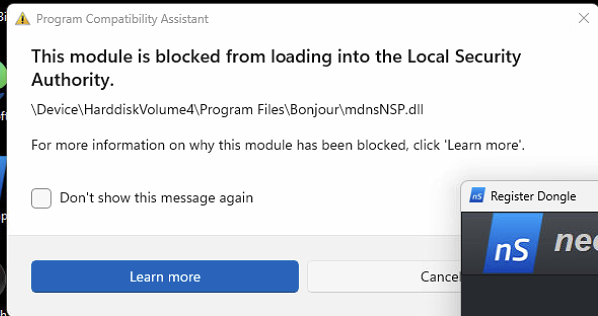
The message indicates that Windows has blocked the Bonjour namespace provider (mdnsNSP.dll) from loading because it’s considered outdated or incompatible with the current Local Security Authority (LSA) protection settings.
This is commonly triggered after a Windows update that tightens security around LSA plug-ins.
Solution
1. Reinstall or Update Apple Bonjour
The simplest and most effective fix is to reinstall Bonjour with the latest version.
Run this in Command Prompt (Administrator):
winget install --id=Apple.Bonjour -e
After installation, restart the PC and check if the warning stops.
2. Manually Remove or Replace the Problem DLL
If the reinstall doesn’t help:
Go to:
C:\Program Files\Bonjour\Look for:
mdnsNSP.dll
mdnsNSP64.dll (if present)
Rename them, e.g.:
mdnsNSP.dll.bak
Restart the computer.
This disables the obsolete Bonjour NSP provider without uninstalling Bonjour entirely.