Problem
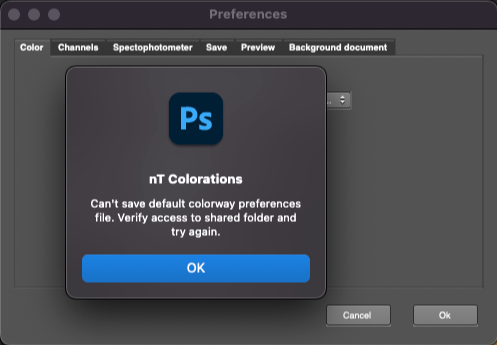
When saving plug-in preferences, the following warning appears:
“Can't save default colorway preferences file. Verify access to the shared folder and try again.”
Cause
This issue occurs due to insufficient permissions on the Inèdit Software shared folder located at:
/Users/Shared/Inèdit Software
Solution
If you see this error, please follow the steps below:
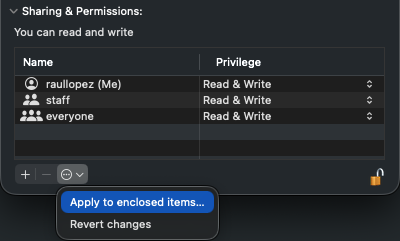
Right-click the Inèdit Software folder and select Get Info.
Click the padlock at the bottom of the window and enter your macOS password to unlock it.
Click the gear/round button and choose “Apply to enclosed items…” to update all folder permissions.
Restart Photoshop and try saving the preferences again.