
Issue
The Hotfolder stops processing files, or new files placed in the Hotfolder are not being detected or printed.
Possible causes
This behavior is usually related to one of the following situations:
The application is running with administrator permissions.
The Hotfolder configuration dialog is currently open.
Solution
1. Check application permissions
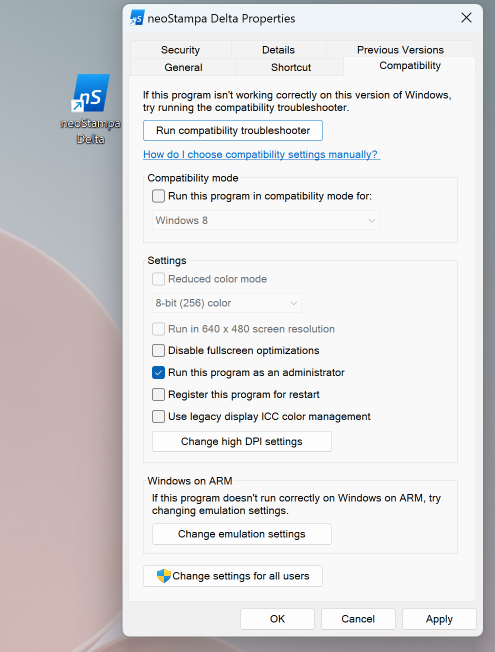
Make sure the application is not running as administrator. If the application is launched with administrator permissions, the Hotfolder may not process files correctly due to Windows permission differences between the application and the folder location.
To check this:
Close the application.
Right-click the application shortcut.
Select Properties.
Go to the Compatibility tab.
Make sure Run this program as an administrator is not selected.
Apply the changes and reopen the application normally.
2. Close the Hotfolder configuration dialog
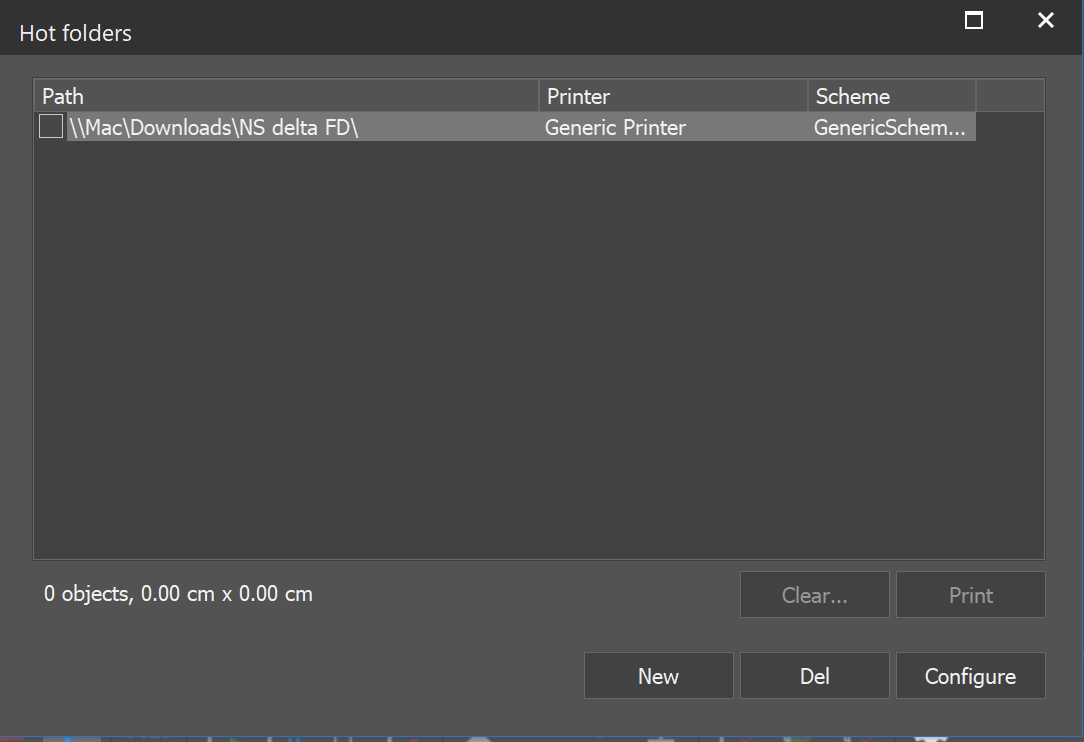
The Hotfolder will not process files while the Hotfolder configuration dialog is open.
Close the configuration window and check again if the Hotfolder starts processing the files.
Additional recommendation
After applying the changes, restart the application and place a new test file in the Hotfolder to confirm that processing has resumed.