
Issue
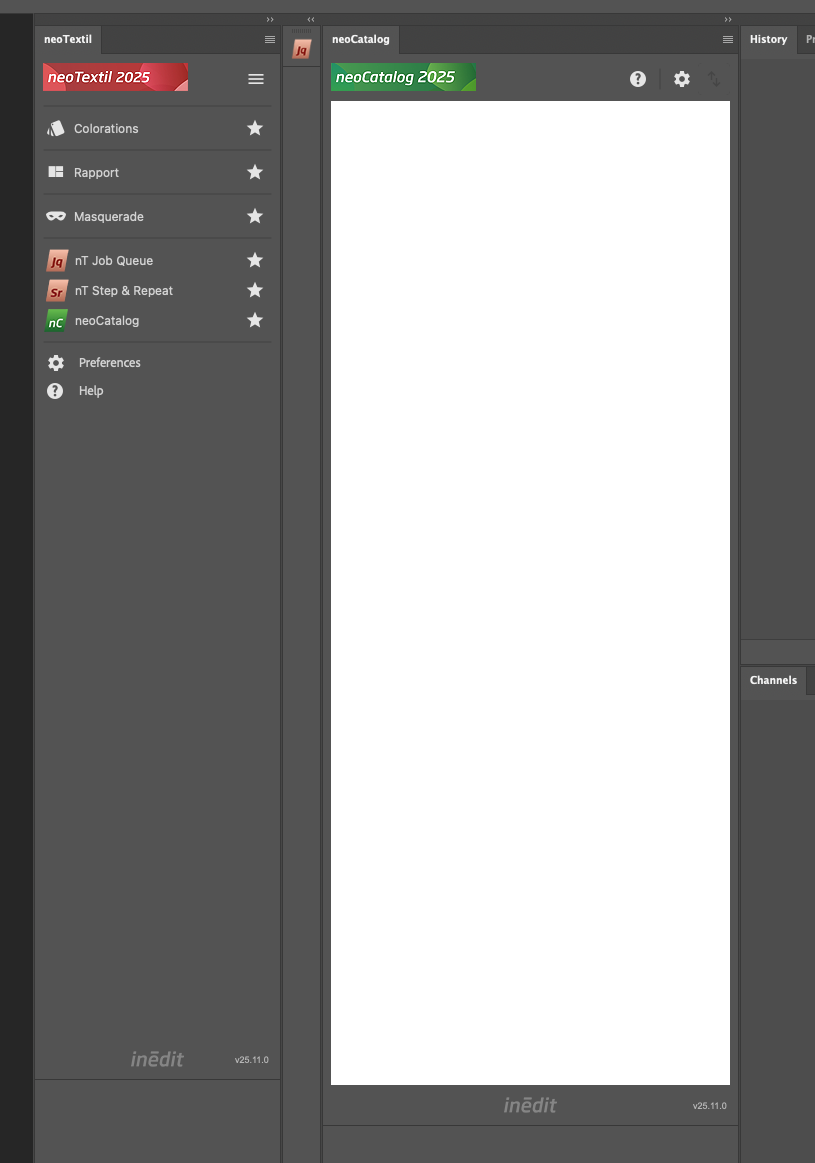
The neoCatalog UXP panel appears completely white or blank instead of displaying its content.
Cause
This behavior is caused by a known Adobe UXP WebView issue. In some cases, the WebView fails to render the panel content, leaving it blank until it is manually reloaded.
Solution
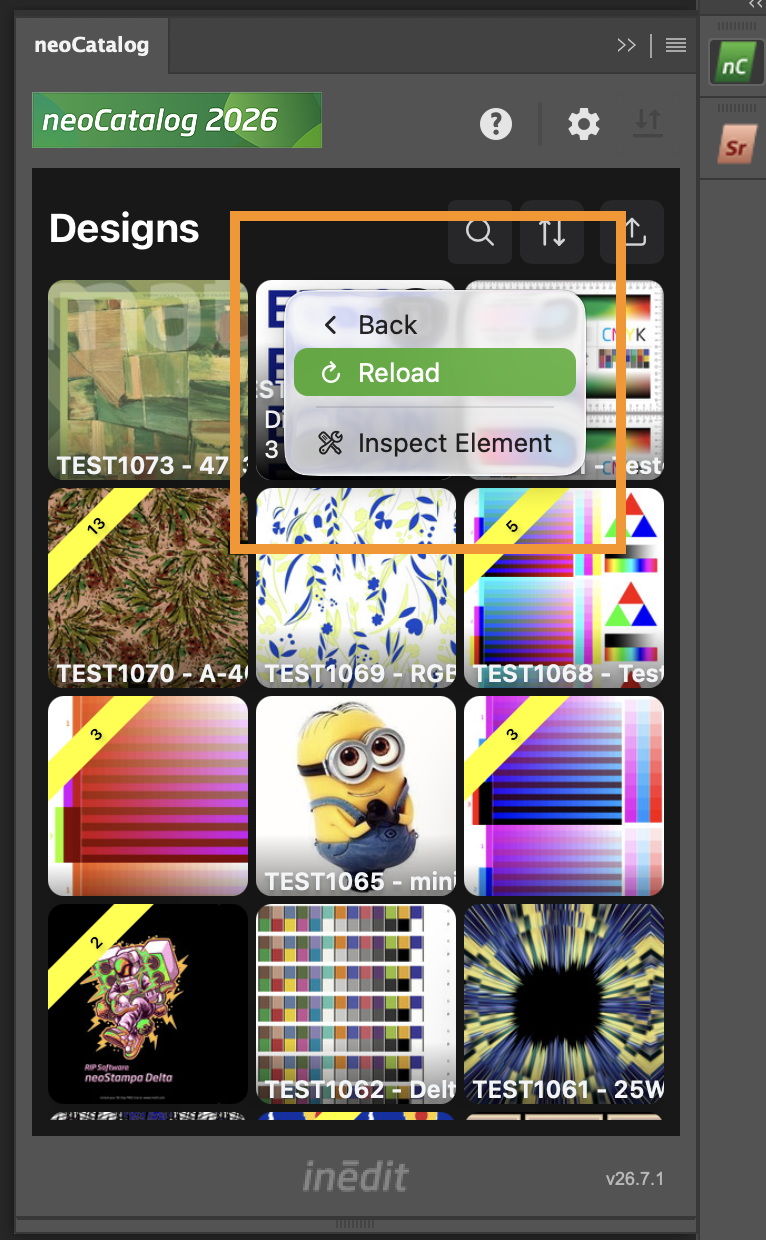
Right-click anywhere inside the blank neoCatalog panel.
Select Reload from the context menu.
Wait for the panel to reload.
If the panel is successfully reloaded, its contents will be displayed again.
If the issue persists, close and reopen the panel or restart Adobe Photoshop.
Log File
If reloading the panel does not resolve the issue, collect the UXP error log before contacting Technical Support.
Windows
C:\Users\<USERNAME>\AppData\Roaming\Adobe\UXP\PluginsStorage\PHSP\<PhotoshopVersion>\External\com.inedit.nT.panels\PluginData\logError.txt
macOS
/Users/<USERNAME>/Library/Application Support/Adobe/UXP/PluginsStorage/PHSP/<PhotoshopVersion>/External/com.inedit.nT.panels/PluginData/logError.txt
Notes: - Replace<USERNAME>with your Windows or macOS account name. - Replace<PhotoshopVersion>with your installed Photoshop major version (for example,27).
Need More Help?
If the problem continues after reloading the panel, contact Technical Support and provide:
logError.txtPhotoshop version
neoTextil version
Operating system and version
Steps to reproduce the issue