Problem
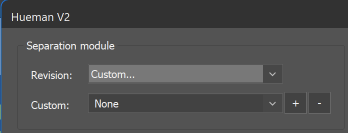
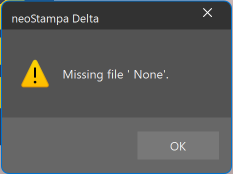
The error message “Missing File ‘None’” keeps appearing when Hueman Revision is set to Custom and Custom is set to None. This happens not only during printing, but also when opening different setup options in the Scheme Manager, such as Color Mode, Ink, and Color.
Solution
The error stops appearing once None is no longer selected. The next step is to identify the correct Revision and Custom settings so that the printed colors remain unchanged.