
Issue
When attempting to use an i1Pro2 spectrophotometer, the following error appears:
i1Pro not connected (Error -5, 'E')! or i1Pro not connected (Error -5, 'D')!
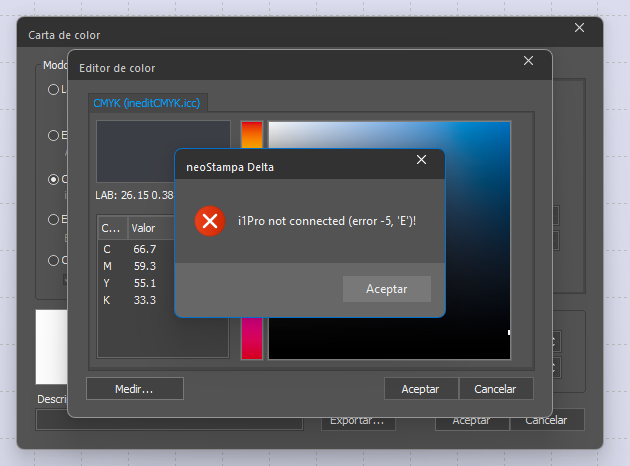
Cause
This error is typically caused by an incorrect or missing i1Pro2 device driver. As a result, Windows is unable to recognize the instrument.
Solution
Option 1 – Reinstall the i1Pro2 Driver Included with neoStampa
Close neoStampa.
Run the following installer as Administrator:
C:\Inedit\neoStampa\Required\i1Pro2
Complete the installation.
Open Device Manager and verify that the i1Pro2 is recognized correctly.
Restart neoStampa and test the connection again.
Option 2 – Install the X-Rite Driver
If the issue persists, install the official X-Rite software package, which includes the required drivers.
A compatible version is available here:
https://www.xrite.com/es/service-support/downloads/i/i1profiler-i1publish_v3_7_1
Note: X-Rite has discontinued support for some older versions of the i1Pro2 software. If the latest version does not resolve the issue, install a previous supported version if available.
Verification
After installing the driver:
Confirm that the i1Pro2 appears correctly in Windows Device Manager.
Open neoStampa and verify that the device is detected without errors.
Need More Help?
If the error continues after reinstalling the drivers, provide Technical Support with:
neoStampa version
Windows version
i1Pro model (i1Pro or i1Pro2)
Screenshot of Windows Device Manager
Screenshot of the error message