
A Trial Activation allows you to evaluate the software for a limited period before purchasing a license. This guide explains how to request, activate, and verify your trial license.
TABLE OF CONTENTS
- Activation Types
- Before You Start
- Step 1: Obtain your computer UUID or USB dongle
- Step 2: Register for a Trial License
- Step 3: Activate the Trial License
- Step 4: Verify the activation
- Troubleshooting
By default, when you install Inedit products, it applies to trial licenses with a 30-day expiration date. You can start a 30-day trial to try out all of the features. If your dongle has already activated a trial license, you cannot start a new trial.
At the end of the trial period, you can revert to a final license or extend the trial. For more information about license levels, contact sales@inedit.com.
Activation Types
Inedit products support two types of activation: USB dongle protection and UUID. By default, when you install Inedit products, they apply for basic licenses with a 30-day expiration date.
|
|
 USB protection (dongle)
 UUID format (Universally Unique IDentifier)
Before You Start
Before requesting a trial activation, make sure that:
- The software is installed on your computer.
- You have an active internet connection.
- You have administrator permissions on the computer.
- No previous trial activation is currently active on the same machine.
Step 1: Obtain your computer UUID or USB dongle
The trial license is linked to your computer's unique identifier (UUID).
- Launch the application.
- The Activation Manager will open automatically if no valid license is detected.
- Locate the UUID displayed in the activation window.
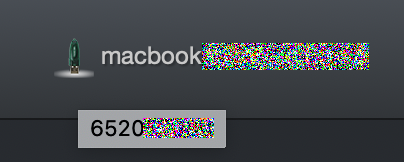
INFO: The UUID uniquely identifies your computer and is required to generate the trial license.
Step 2: Register for a Trial License
This example is applicable to all Inedit products.
- Fill in the account details in the required fields to register your dongle with your email and push the button "Continue".
- Contact name
- Company name
- Email address
 In the next step tell us why you want to try the product and push the button "Request Trial".
- The next step is to validate your email account which requires one verification.

- Check your received email and use the validation code that is valid for 15 minutes for the next step.
 Enter the verification code in the required field. Click on the button "Continue". Once your registration is completed, you will be able to change the registration email.
If you encounter issues with the verification code while registering for a trial license, follow the troubleshooting.
Step 3: Activate the Trial License
Once the registration is passed, the trial license will be generated by our team. Proceed with the following steps:
- Open the software.
- Wait for the Activation Manager to appear.
- Wait for the confirmation message, which will indicate that the trial license has been validated.
Step 4: Verify the activation
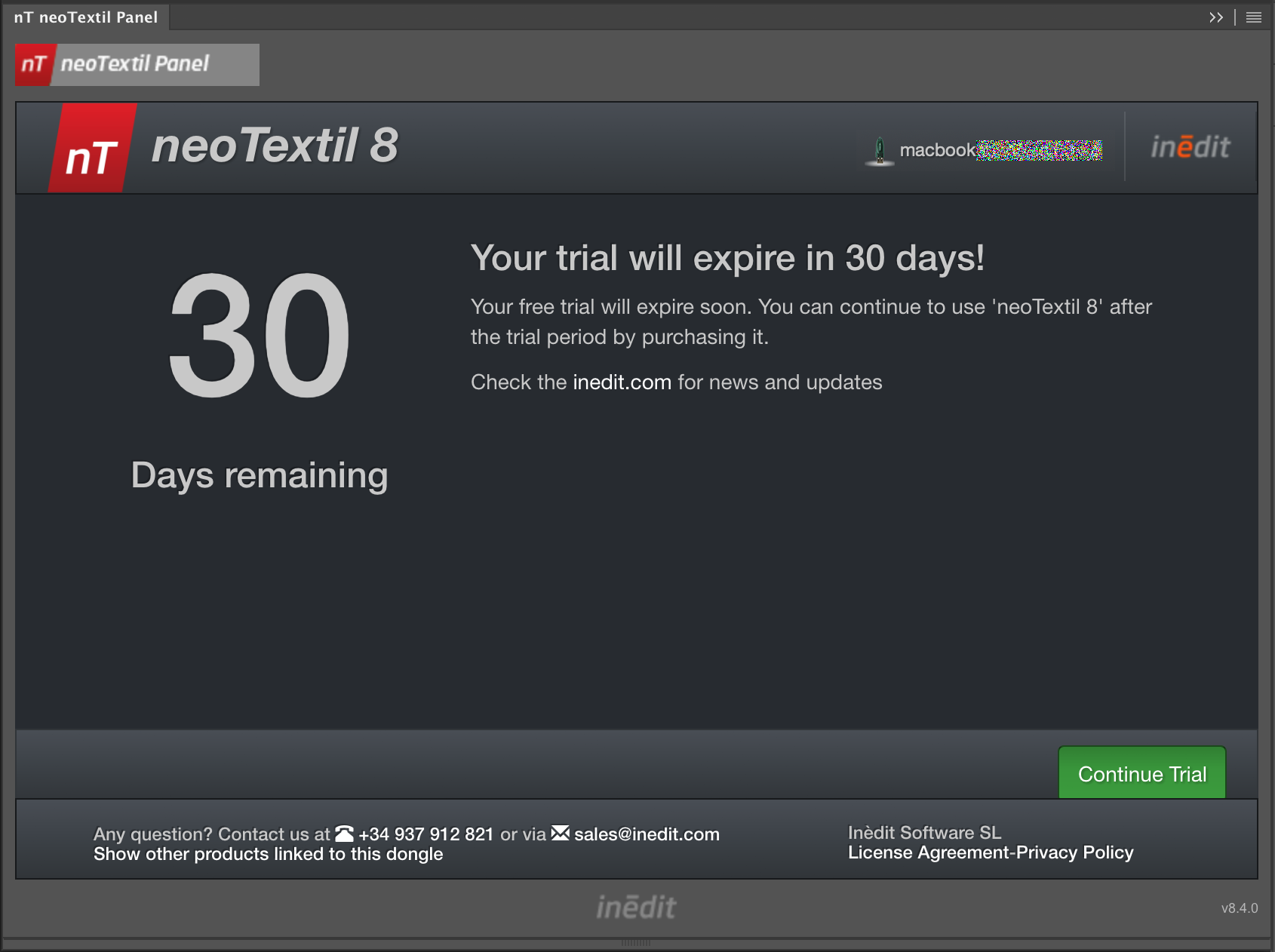
To verify that the trial license is active: Confirm that:
1. The license status is valid.
2. The license type is Trial.
3. The expiration date is displayed.
Troubleshooting
Activation manager does not open
- Restart the application.
- Run the software as Administrator.
- Verify that no firewall or security software is blocking the application.
Activation Failed
If you experience any issues during the activation process, contact Inèdit Support and include:
- Product name
- Software version
- UUID/dongle
- Screenshot of the activation window
- Description of the error message
Providing this information will help us assist you more quickly.
Related articles:
How to apply for XDAT (offline) application license activation
Troubleshooting Registration Verification Code on Form Submission in neoTextil