
Issue
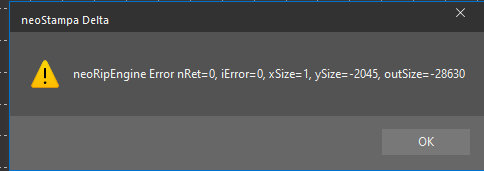
When opening or printing a document, the error pops-up:
neoRipEngine Error nRet=0, iError=0, Size=1, ySize=-2045, outSize=-28630
Cause
This error arises when the media width set surpasses the maximum width that the printer can accommodate. It is often encountered with PrintExp-compatible printers.
There are two common scenarios:
Scenario 1 – Media Width Is Too Large
The Media Width configured in the document or print scheme exceeds the maximum width that the printer can accommodate.
Scenario 2 – Full Width Ripping
The error can also occur when Full Width Ripping is enabled in the Printer Scheme in the Advanced tab. With this option active, neoStampa processes the job using the complete configured media width rather than only the area occupied by the design. If the resulting ripping width exceeds the supported limit, the neoRipEngine error can appear even when the design itself is smaller.
Solution
Scenario 1 – Adjust the Media Width
- Access the Document section in the Properties bar of neoStampa.
- Verify the Media Width setting.
- Adjust the width to a permissible value supported by the printer.
- Save the print scheme and resend the job.
Scenario 2 – Disable Full Width Ripping
- Open the print scheme configuration.
- Locate the Full Width Ripping option.
- Disable Full Width Ripping.
- Save the printer scheme.
- Resend the job and verify that it is processed correctly.
Need More Help?
If the error continues after adjusting the media width, contact Technical Support and provide:
- neoStampa version
- Printer model
- Print scheme
- Configured media width